dominoGuru.com
Your Development & Design Resource
HTML5 Geolocation and Canvas IBM XPages Custom Controls Demo
07/10/2012 01:34:00 PM by Chris Toohey
 After creating various HTML5 Custom Controls for my IBM XPages application development toolkit, I thought I would showcase two of these controls -- Geolocation and Canvas -- to paint a Google Map of the current user location. Bonus: works great on mobile devices too!
Demo URL
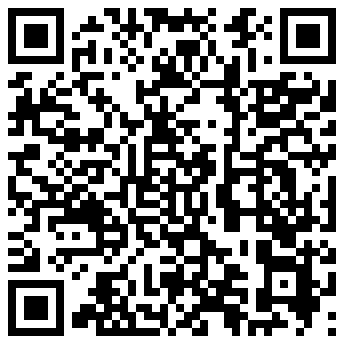
Here's a link to the demo, plus a qrcode for those of you wanting to try this out on a mobile device (and don't want to have to type in the full URL...):
http://www.dominoguru.com/demo/sxt.nsf/demo_HTML5_geolocation_canvas.xsp
Here's a walk-thru on the mobile demo (screencaps from my iPhone 4):
 QRCode Reader Prompt - Using a mobile device? You'll want to use the QRCode for this demo!
 Browser Geolocation Security Prompt
 mapit() ClientSide JavaScript confirmation to paint the HTML5 canvas
 Your current location, via HTML5 Geolocation and Canvas!
Check out the demo, and let me know what you think. I've already got a friend that's now using this technique to track location information for the current user as part of their mobile application... so the application of these controls are only limited to your specific business/application needs. And, of course, I'll be using this technique (and various others) along with my HTML5 custom controls on a currently hush-hush project that I'm working on... so stay tuned!

About the author: Chris Toohey
Thought Leadership, Web & Mobile Application Development, Solutions Integration, Technical Writing & Mentoring
A published developer and webmaster of dominoGuru.com, Chris Toohey specializes in platform application development, solutions integration, and evangelism of platform capabilities and best practices.
More from dominoGuru.com
Latest Features








dominoGuru.com is powered by IBM Notes Domino XPages & hosted by Prominic.NET
Contact Us
Use our Contact / Feedback form or one of these email addresses:

Except where otherwise noted, dominoGuru.com by Chris Toohey is licensed under a Creative Commons Attribution-ShareAlike 4.0 International License.